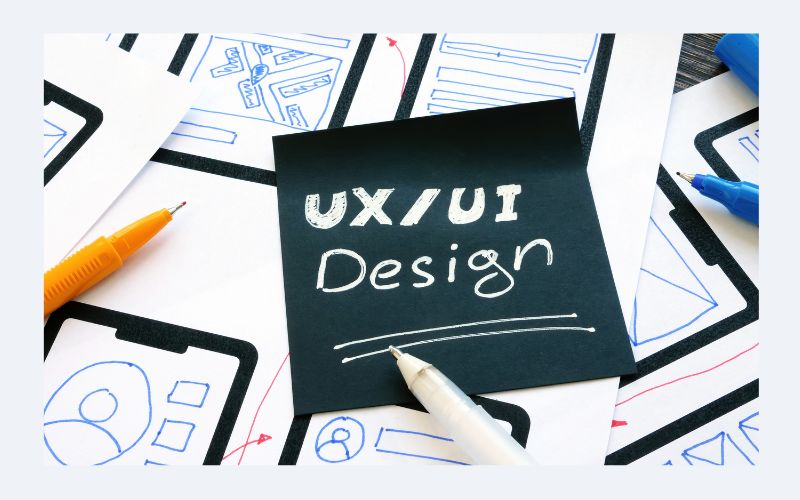
Most people have never heard the terms “UI design” or “UX design” outside of a tech context. But everyone has experienced the results of both — usually without realizing it. The reason some apps feel effortless to use and others make you want to throw your phone across the room is almost always a design decision made by someone sitting at a computer months or years before you ever downloaded the product.
This is the domain of UI/UX design. It is one of the most consequential and least understood fields in modern technology — and understanding it matters far more than most people realize, whether they are building products, managing teams, or simply trying to make sense of the digital world they navigate every day.
Could you please clarify the distinction between UI Design and UX Design?
These two terms are often used together and sometimes interchangeably, but they refer to genuinely different things.
UI Design—User Interface Design— is concerned with the visual layer of a digital product. It covers the layout of screens, the colors used, the typography, the iconography, the spacing between elements, the style of buttons, and the overall visual hierarchy of a page or app. It is, in the most direct sense, what a product looks like.
UX Design—User Experience Design— is concerned with how a product feels to use. It covers the entire journey a user takes when interacting with a product: how they locate what they are looking for, how they move between sections, how errors are communicated, how tasks are completed, how information is organized, and how the overall experience of using the product makes them feel. It is, at its core, about solving human problems with digital tools.
The distinction matters because getting one right without the other is not enough. A product can be visually stunning but deeply frustrating to use. It can be logically organized but visually confusing. The best digital products are both well-designed visually and thoughtfully designed experientially — which is why UI and UX, while different, are inseparable in practice.
Why Has UX Design Become So Central to Business Success?
User experience was often overlooked during the early internet era. Products were built around technical capabilities and business requirements. If the product worked—if it did what it was supposed to do—then that was considered success. The question of how enjoyable or intuitive it was to use seemed secondary.
The market has thoroughly dismantled that thinking. Users today have options. If an app is confusing, they delete it. If a website is slow or challenging to navigate, they leave and find a competitor. They give up on their cart if the checkout process is difficult. The tolerance for poor user experience has collapsed as the number of alternatives has risen.
This shift has made UX design a genuine business priority. Companies that invest in thoughtful user experience see higher conversion rates, lower churn, better customer retention, and stronger word-of-mouth growth. Companies that neglect it struggle with all of the above— often without fully understanding why.
What is the typical approach a UI designer takes in their work?
The work of a UI designer is both more systematic and more creative than most people expect. It begins not with picking colors or fonts but with understanding the product’s purpose, its users, and its context.
A UI designer studying a new project will ask questions like, “Who are the users? What devices will they use? What are their expectations when they first open this app? What emotional tone should the product convey? Is this a tool that needs to project professionalism and trustworthiness, or one that should feel playful and energetic? Is the user experience primarily functional — a tool someone uses quickly to accomplish a task — or is it meant to be explored and enjoyed?
From these answers, the designer begins building a visual language for the product — a consistent set of design decisions that apply across every screen and interaction. This visual language includes a color palette, a typographic system, a set of interface components like buttons and input fields, and a set of spacing and layout rules. When the team designs this system well, every part of the product feels coherent, even when different members build different sections.
What Does the UX Design Process Look Like in Practice?
UX design is fundamentally a research and problem-solving process. It begins with understanding—usually through user interviews, surveys, usability testing, and competitive analysis—and moves through a series of increasingly concrete stages before arriving at a finished design.
The first major deliverable in a typical UX process is a set of user flows—diagrams that map out the paths users will take through a product to accomplish specific goals. These flows help the team identify potential friction points before any visual design has been done, which is far less expensive than discovering them after.
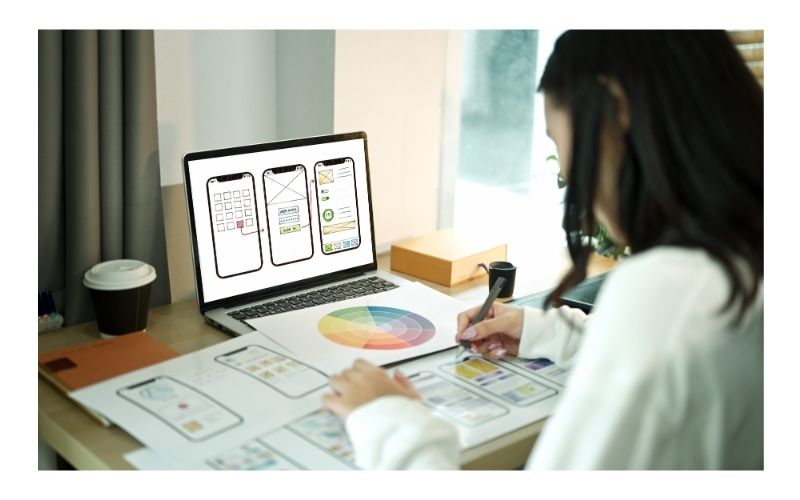
Next come wireframes—low-fidelity layout sketches that show the structure and content of each screen without any visual styling. The team can debate and refine the product’s organization and functionality using wireframes, free from distractions caused by visual details.
Once wireframes are approved, they are developed into prototypes—interactive mockups that simulate the experience of using the product. Real users test prototypes, and their feedback is used to improve the design before development. This iterative, research-grounded process is what separates professional UX design from gut-feel guesswork. It does not eliminate all design mistakes, but it catches the most costly ones early.
Why Does Accessibility Matter in Modern UI/UX Design?
Accessible design has moved from a compliance consideration to a genuine design principle in the best organizations. Designing products for people with a wide range of abilities, including those with visual, auditory, motor, or cognitive impairments, is what accessibility means.
The practical case for accessibility is compelling. When designers build products that work for people using screen readers, people with color vision deficiencies, people who navigate by keyboard rather than mouse, and people who process information differently, they do not just serve those specific users better. They tend to produce cleaner, more structured interfaces that are easier for everyone to use.
This is sometimes called the “curb cut effect”—a reference to the observation that sidewalk curb cuts, originally designed for wheelchair users, turned out to be equally useful for people pushing strollers, cyclists, delivery workers, and many others. Thoughtful accessibility often improves the overall design for the entire user base.
How Is AI Changing the Practice of UI/UX Design?
Artificial intelligence is reshaping UI/UX design in several significant ways. On the practical side, AI tools are dramatically accelerating the early stages of the design process — helping designers generate wireframe variations, explore color palette options, and prototype interactions more quickly than ever before. What used to take days of iterative work can now be compressed into hours.
But the more intriguing shift is happening at a conceptual level. AI is making it possible to personalize user interfaces dynamically — adapting layouts, content, and even visual design based on individual user behavior and preferences. This creates opportunities for experiences that feel genuinely tailored rather than generic.
At the same time, AI introduces new UX challenges. Designing for AI-powered products — where the system’s behavior is probabilistic rather than deterministic — requires new frameworks. Users need to understand when they are interacting with AI, what it can and cannot do, and how to correct it when it is wrong. These are interaction design problems that the field is still working through, and they represent some of the most intriguing design challenges of the current moment.
What Skills Does a Strong UI/UX Designer Bring to a Team?
The most effective UI/UX designers combine several capabilities that do not always appear together naturally. They are deeply empathic— capable of setting aside their own assumptions and preferences to genuinely understand how other people think and feel. They are analytically rigorous — comfortable with data, testing, and evidence-based decision-making. They are strong communicators— able to explain and defend design decisions to stakeholders who may not have design backgrounds. They possess technical literacy, demonstrating sufficient knowledge about product construction to create designs that are feasible for implementation.
Above all, the best designers are curious. They study the products they use. They notice friction. They ask why things work the way they do. They bring that curiosity to every project and channel it into designs that are a little better, a little clearer, and a little more human than what came before.
Conclusion
UI/UX design is not a finishing touch applied to products that are otherwise complete. It is the discipline through which technology becomes genuinely useful to human beings — and understanding it is essential for anyone involved in building, buying, or using digital products. As the field continues to evolve, businesses and teams that prioritize design will consistently outperform those that view it as a secondary consideration.